建议为系统增加对于口令复杂度检查及限制口令定期更换功能,加强系统在身份鉴别机制方面的安全防护能力
安装cracklib以及字典
yum install –y cracklib-devel cracklib-dicts cracklib
解压安装包,修改passwordcheck相关配置
tar -zxvf postgresql-13.5.tar.gz
cd postgresql-13.5/contrib/passwordcheck
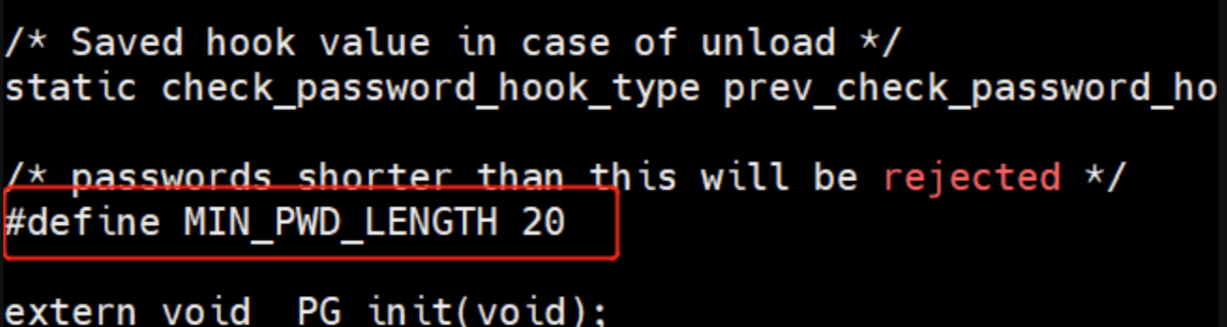
编辑修改passwordcheck.c文件中的MIN_PWD_LENGTH,可根据实际需要更改最小密码长度,默认值为8,建议更改为20或更大。注意:此处的#号并非注释,不要去掉。
或替换为以下内容
/*-------------------------------------------------------------------------
 * Luckyness
 * 20191202
 * 在源代码上修改自用,配置pg密码必须包含特殊字符
 * pg版本11.4
 * 使用方式:
 * 替换目录 ../postgresql-11.4/contrib/passwordcheck 下的 passwordcheck.c
 * 编译安装 make && make install
 * postgresql配置文件内修改 (postgresql.conf)
 * shared_preload_libraries = 'passwordcheck'
 * passwordcheck.level = 'true'
 *-------------------------------------------------------------------------
 */
/*-------------------------------------------------------------------------
 *
 * passwordcheck.c
 *
 *
 * Copyright (c) 2009-2018, PostgreSQL Global Development Group
 *
 * Author: Laurenz Albe <[email protected]>
 *
 * IDENTIFICATION
 *	  contrib/passwordcheck/passwordcheck.c
 *
 *-------------------------------------------------------------------------
 */
#include "postgres.h"

#include <ctype.h>

#ifdef USE_CRACKLIB
#include <crack.h>
#endif

#include "commands/user.h"
#include "libpq/crypt.h"
#include "fmgr.h"
/* 引入扩展 */
#include "utils/guc.h"


PG_MODULE_MAGIC;

/*
 * 配置文件内passwordcheck.level='true' 为需要特殊字符
 * passwordcheck.level='false' 为只需要英文和数字
 */
static bool passwordcheck_level = false;


/* passwords shorter than this will be rejected */
#define MIN_PWD_LENGTH 8

extern void _PG_init(void);

/*
 * check_password
 *
 * performs checks on an encrypted or unencrypted password
 * ereport's if not acceptable
 *
 * username: name of role being created or changed
 * password: new password (possibly already encrypted)
 * password_type: PASSWORD_TYPE_* code, to indicate if the password is
 *			in plaintext or encrypted form.
 * validuntil_time: password expiration time, as a timestamptz Datum
 * validuntil_null: true if password expiration time is NULL
 *
 * This sample implementation doesn't pay any attention to the password
 * expiration time, but you might wish to insist that it be non-null and
 * not too far in the future.
 */
static void

check_password(const char *username,
			   const char *shadow_pass,
			   PasswordType password_type,
			   Datum validuntil_time,
			   bool validuntil_null)
{
	if (password_type != PASSWORD_TYPE_PLAINTEXT)
	{
		/*
		 * Unfortunately we cannot perform exhaustive checks on encrypted
		 * passwords - we are restricted to guessing. (Alternatively, we could
		 * insist on the password being presented non-encrypted, but that has
		 * its own security disadvantages.)
		 *
		 * We only check for username = password.
		 */
		char	   *logdetail;

		if (plain_crypt_verify(username, shadow_pass, username, &logdetail) == STATUS_OK)
			ereport(ERROR,
					(errcode(ERRCODE_INVALID_PARAMETER_VALUE),
					 errmsg("password must not equal user name")));
	}
	else
	{
		/*
		 * For unencrypted passwords we can perform better checks
		 */
		const char *password = shadow_pass;
		int			pwdlen = strlen(password);
		int			i;
		/*                 bool            pwd_has_letter,*/
		bool
					pwd_has_number,pwd_has_special,pwd_has_letter;

		/* enforce minimum length */
		if (pwdlen < MIN_PWD_LENGTH)
			ereport(ERROR,
					(errcode(ERRCODE_INVALID_PARAMETER_VALUE),
					 errmsg("password is too short")));

		/* check if the password contains the username */
		if (strstr(password, username))
			ereport(ERROR,
					(errcode(ERRCODE_INVALID_PARAMETER_VALUE),
					 errmsg("password must not contain user name")));

		if(passwordcheck_level)
		{
			/* check if the password contains both letters and number and specialchar */
			pwd_has_number = false;
			pwd_has_special = false;
			pwd_has_letter = false;
			for (i = 0; i < pwdlen; i++)
			{
				if (isalpha((unsigned char) password[i]))
					pwd_has_letter = true;
				else if (isdigit((unsigned char) password[i]))
					pwd_has_number = true;
				else
					pwd_has_special = true;
			}
			if (!pwd_has_number || !pwd_has_letter || !pwd_has_special)
				ereport(ERROR,
						(errcode(ERRCODE_INVALID_PARAMETER_VALUE),
						errmsg("password must contain both letters and number and specialchar")));
		}
		else
		{
			/* check if the password contains both letters and non-letters */
			pwd_has_letter = false;
			pwd_has_number = false;
			for (i = 0; i < pwdlen; i++)
			{
				if (isalpha((unsigned char) password[i]))
					pwd_has_letter = true;
				else
					pwd_has_number = true;
			}
			if (!pwd_has_letter || !pwd_has_number)
				ereport(ERROR,
						(errcode(ERRCODE_INVALID_PARAMETER_VALUE),
						errmsg("password must contain both letters and nonletters")));
		}

#ifdef USE_CRACKLIB
		/* call cracklib to check password */
		if (FascistCheck(password, CRACKLIB_DICTPATH))
			ereport(ERROR,
					(errcode(ERRCODE_INVALID_PARAMETER_VALUE),
					 errmsg("password is easily cracked")));
#endif
	}

	/* all checks passed, password is ok */
}

/*
 * Module initialization function
 */
void
_PG_init(void)
{
	/* 密码级别参数 */
	DefineCustomBoolVariable(
		"passwordcheck.level",
		gettext_noop("passwordcheck_level true: Password must contain leter, number, special characters;false : Password must contain leter, special characters"),
		NULL,
		&passwordcheck_level,
		false,
		PGC_POSTMASTER,
		GUC_SUPERUSER_ONLY,
		NULL, NULL, NULL);

	/* activate password checks when the module is loaded */
	check_password_hook = check_password;
}
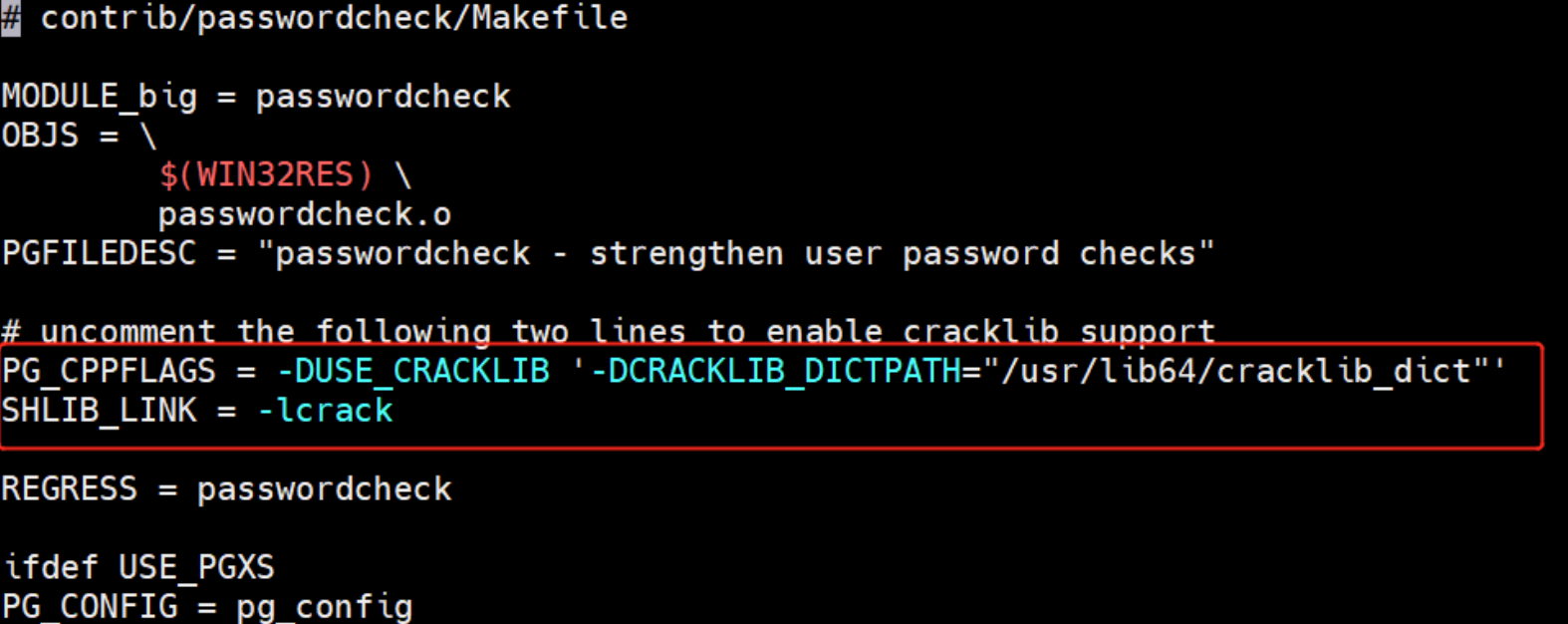
修改Makefile文件, 把下图红框的2行注释去掉, 并修改字典文件和路径(文件不要带.pwd后缀,如下图)。如果你不知道cracklib_dict文件的路径。可以使用find命令查询,请确保路径正确。
find / -name cracklib_dict*
编辑安装passwordcheck插件
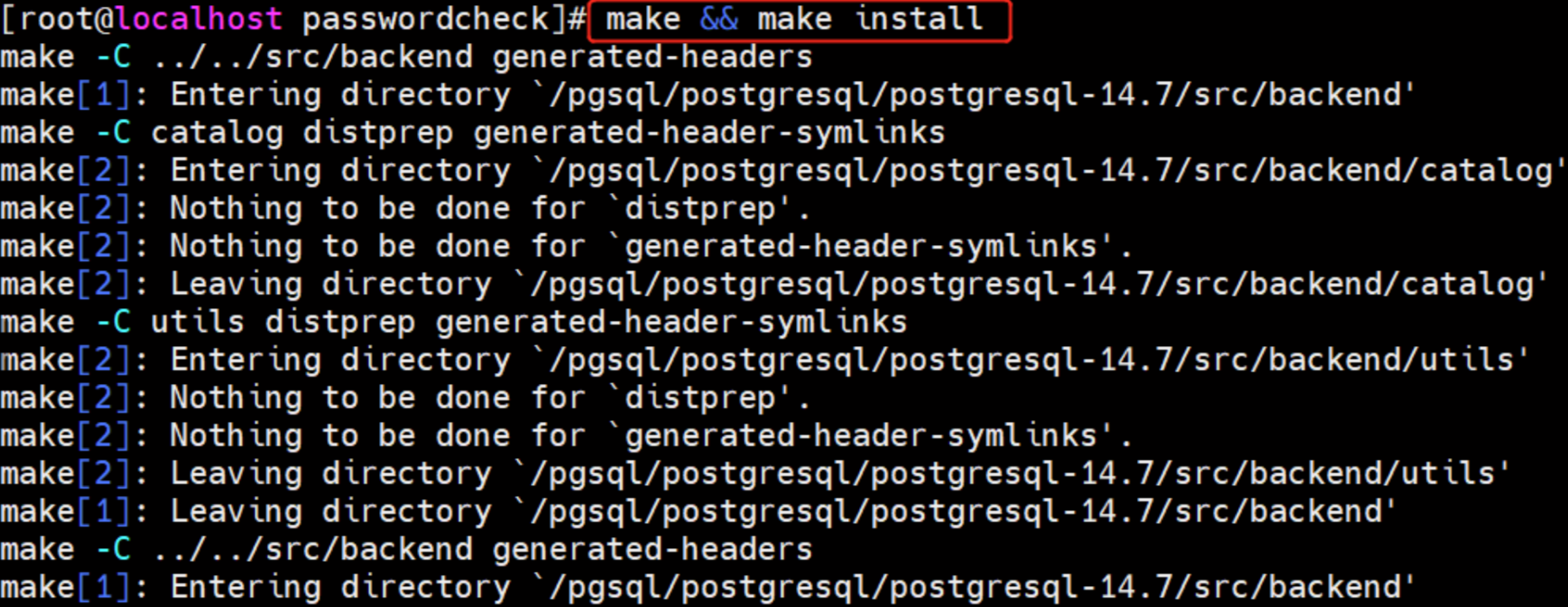
make && make install
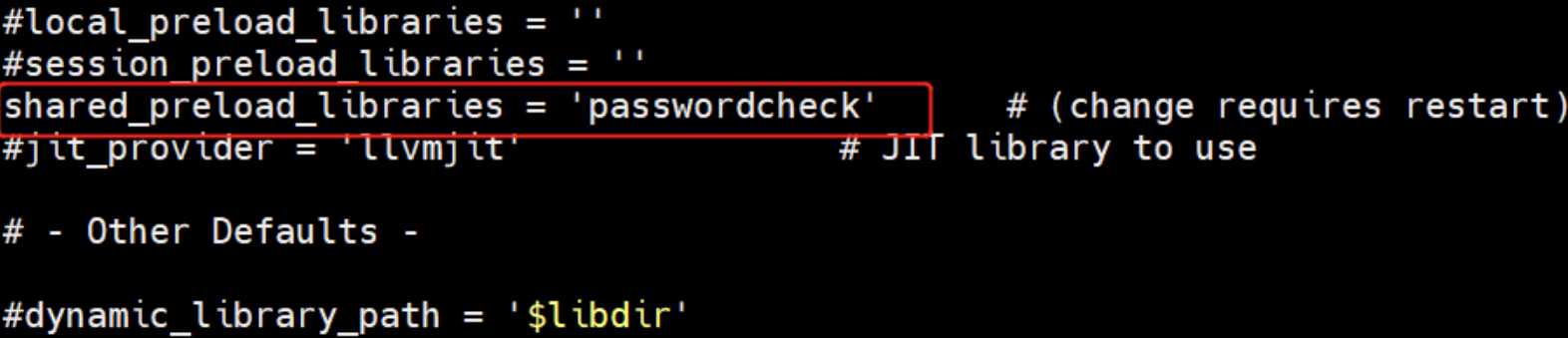
装载模块
vi /usr/local/postgres/data/postgresql.conf
管理账户口令定期进行更换
alter role postgres valid until '2025-03-01';
查看用户密码到期时间
\du+ postgres
密码验证失败延迟
cd postgresql-13.5/contrib/auth_delay/
make && make install
vi /usr/local/postgres/data/postgresql.conf
shared_preload_libraries = 'auth_delay,passwordcheck'
auth_delay.milliseconds = 5000
PostgreSQL加密连接SSL配置
查看postgresql是否使用openssl选项编译安装,没有则需重新编译
pg_config|grep CONFIGURE|grep ssl
在启用了--with-openssl这个编译选项的情况下,ssl_library的参数值是OpenSSL,否则为空。
重新编译
在重新编译和安装过程中不覆盖或删除原有的数据目录,你的数据就是安全的
./configure --prefix=/usr/local/postgres --with-openssl
make && make install
配置单向SSL认证连接
为服务器创建一个有效期为365天的简单自签名证书,创建服务端证书和私钥文件
su - postgres
mkdir ~/openssl
openssl req -new -x509 -days 365 -nodes -text -subj '/CN=postgres' -out ~/openssl/server.crt -keyout ~/openssl/server.key
chmod 600 ~/openssl/server.key
修改postgreql.conf配置文件
cat >> /postgresql/pgdata/postgresql.conf << "EOF"
ssl = on
ssl_cert_file = '/home/postgres/openssl/server.crt'
ssl_key_file = '/home/postgres/openssl/server.key'
EOF
重启数据库,ssl生效
pg_ctl start
[postgres@localhost~]$ psql -U postgres -d postgres -h localhost
Password forusersa:
psql (13.5)
SSL connection (protocol: TLSv1.2, cipher: ECDHE-RSA-AES256-GCM-SHA384, bits: 256, compression: off)
Type "help" forhelp.
连接的时候需要加上-h参数,否则不是以ssl连接的
查看ssl开关
postgres=# show ssl;
 ssl
-----
 on
(1 row)
检查使用SSL/TLS的会话连接
postgres=#  select pg_ssl.pid, pg_ssl.ssl, pg_ssl.version,pg_sa.backend_type, pg_sa.usename, pg_sa.client_addr from pg_stat_ssl pg_ssl join pg_stat_activity pg_sa on pg_ssl.pid = pg_sa.pid;
  pid  | ssl | version |         backend_type         | usename  | client_addr
-------+-----+---------+------------------------------+----------+-------------
 16629 | f   |         | autovacuum launcher          |          |
 16748 | f   |         | logical replication launcher | postgres |
 25923 | t   | TLSv1.2 | client backend               | postgres | ::1
 16627 | f   |         | background writer            |          |
 16626 | f   |         | checkpointer                 |          |
 16628 | f   |         | walwriter                    |          |
(6 rows)
仅做单向认证的话到这里就完成了,无需对客户端进行配置